01
Find a failed event, then open one transaction inside it
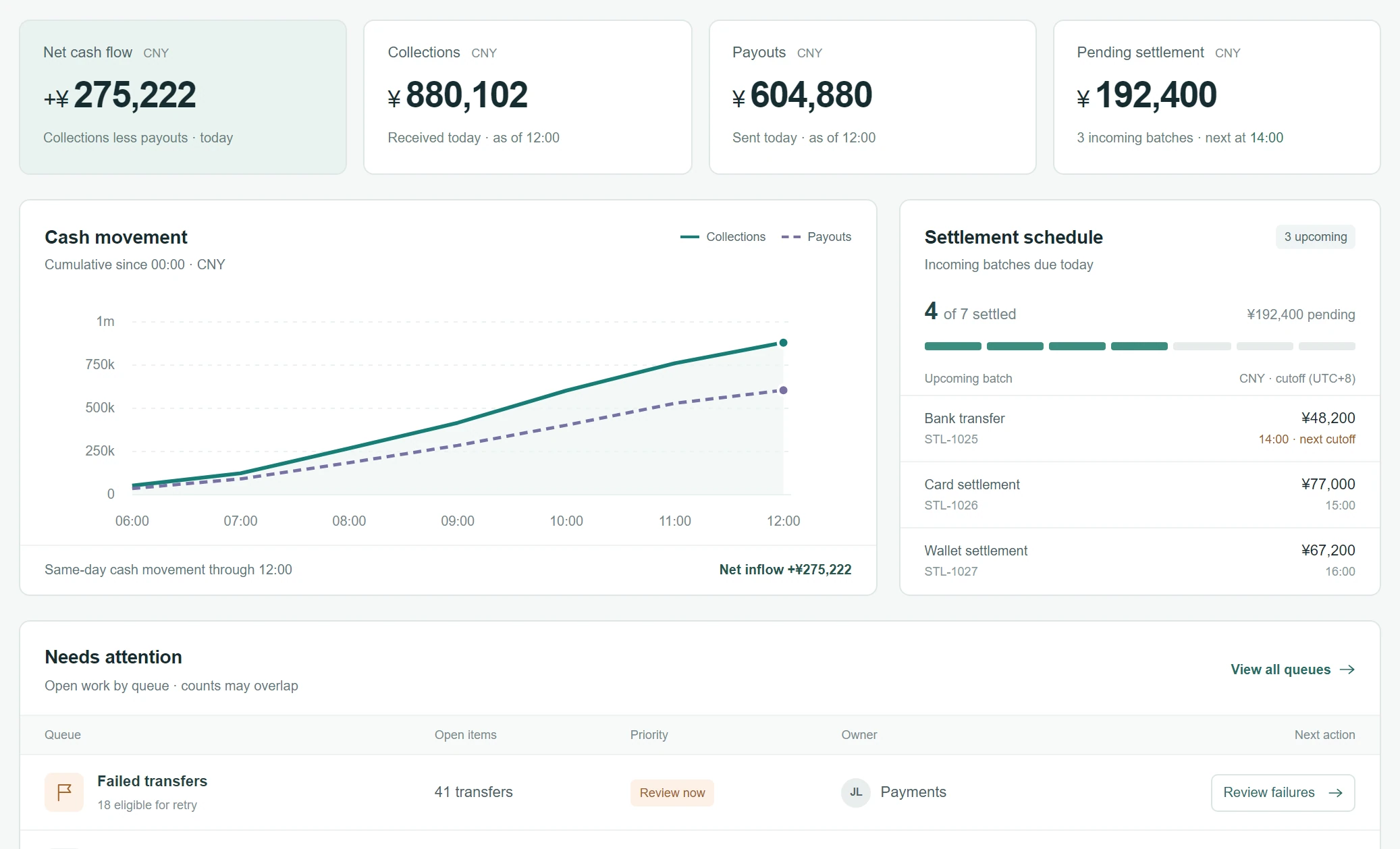
Finding the failed event in the left-hand menu and then opening one transaction's details went from 20–30 seconds to about 8.
01
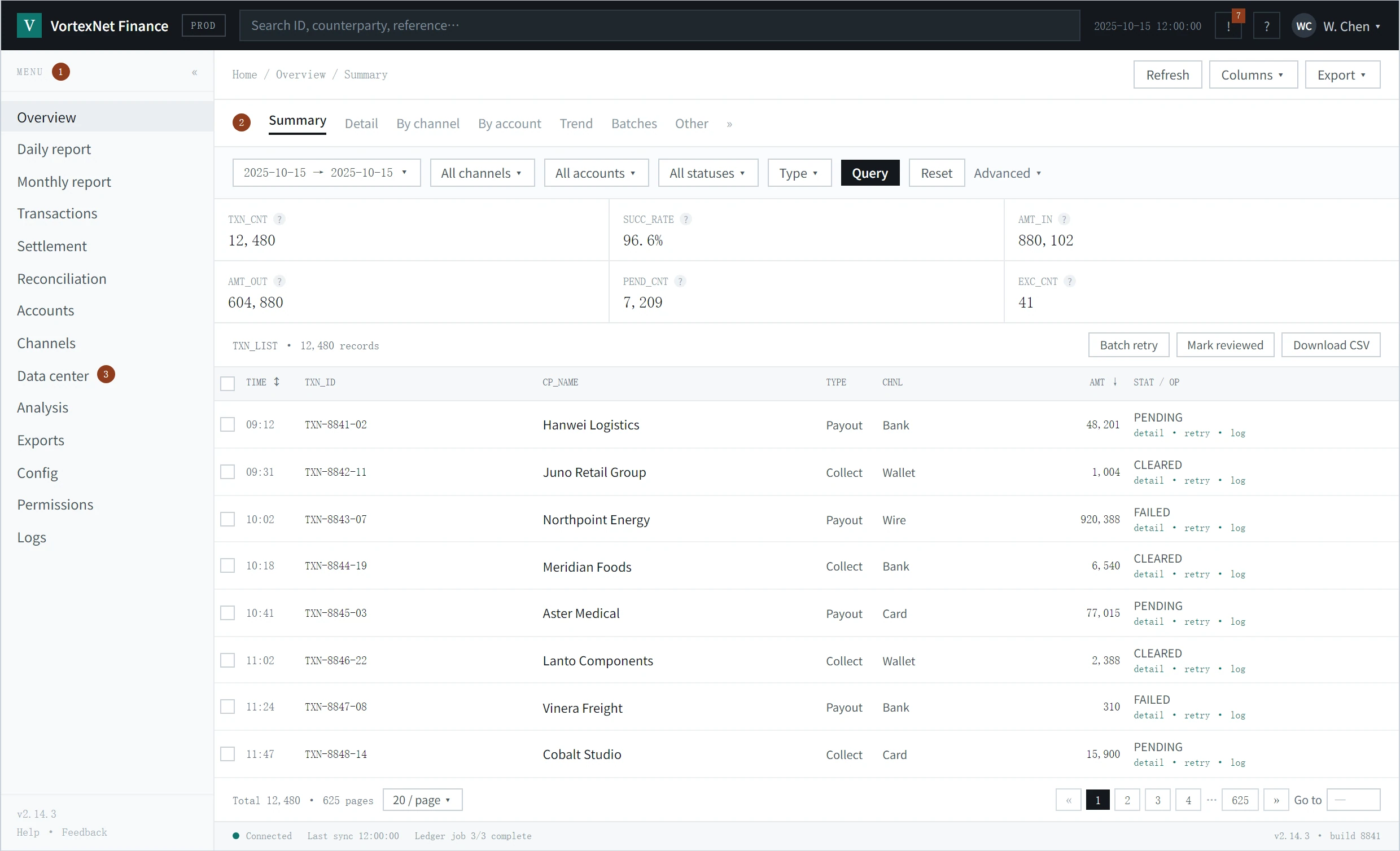
VortexNet is in internet finance, so its internal systems carry a great deal of data to work through. The work people handle every day sat in the same layer as reports and administration, and opening the tool in the morning did not get them to what they needed.
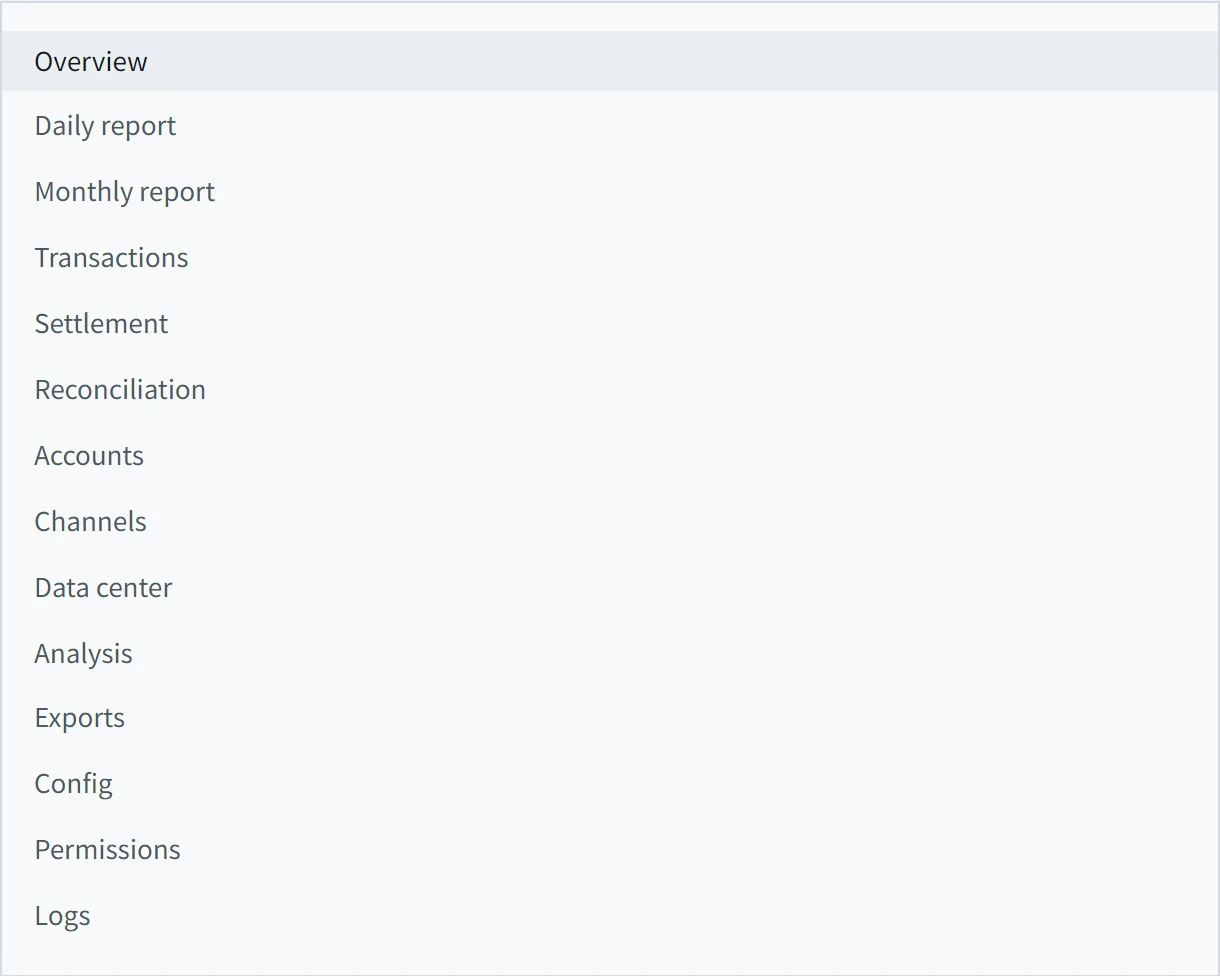
Fourteen entries put reports, operational queues and administration in one layer, which left people confused and made it hard to read.
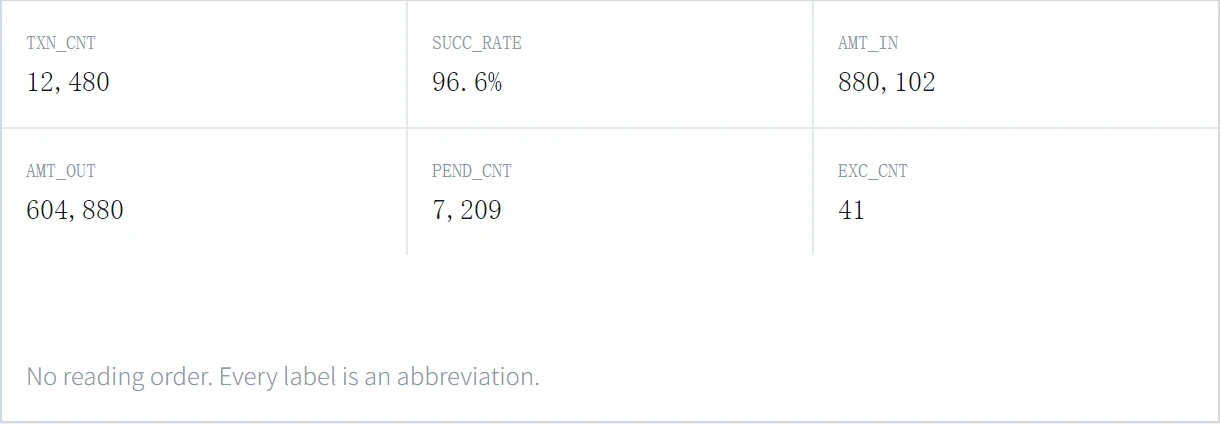
Abbreviations like PEND_CNT are not suited to the people who have to read them.
In practice a transaction table filled the entire screen, with nothing setting out what needed handling.
02
After talking it over with my teammates, we decided to start with color: adjust it across the different kinds of content and the different levels, and let color carry the hierarchy.
The first round of testing involved 10 employees, and it showed that our first read was wrong. Color did not make the priority of the information clear, and because the overall text layout had not changed, people were no faster in the test.
After discussing it with my teammates and my manager, we decided to look further into the information hierarchy, build the levels through type and layout, and add some charts to draw attention.
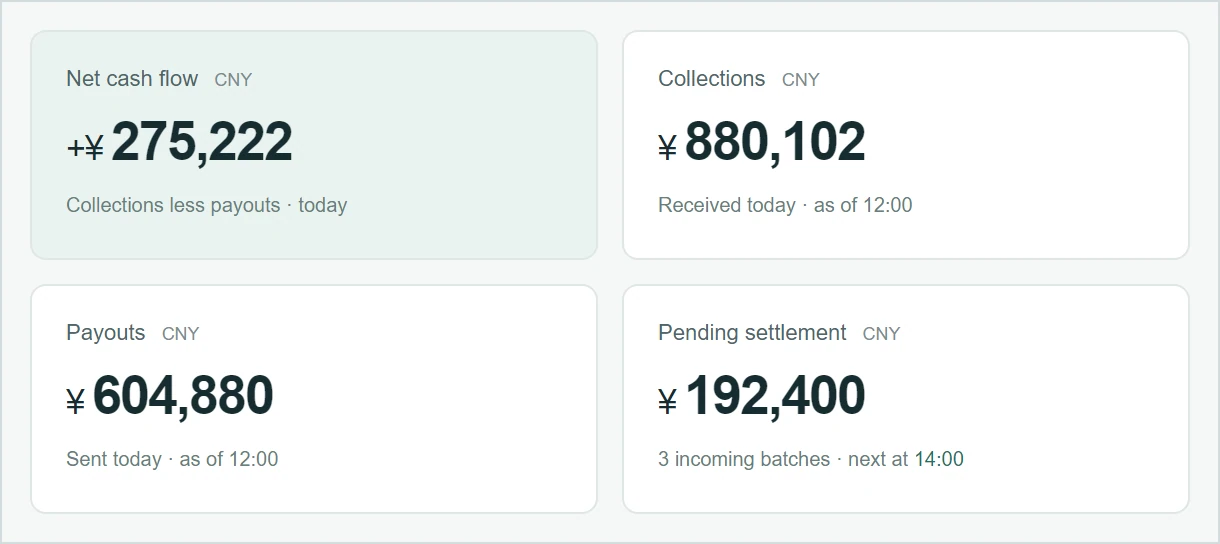
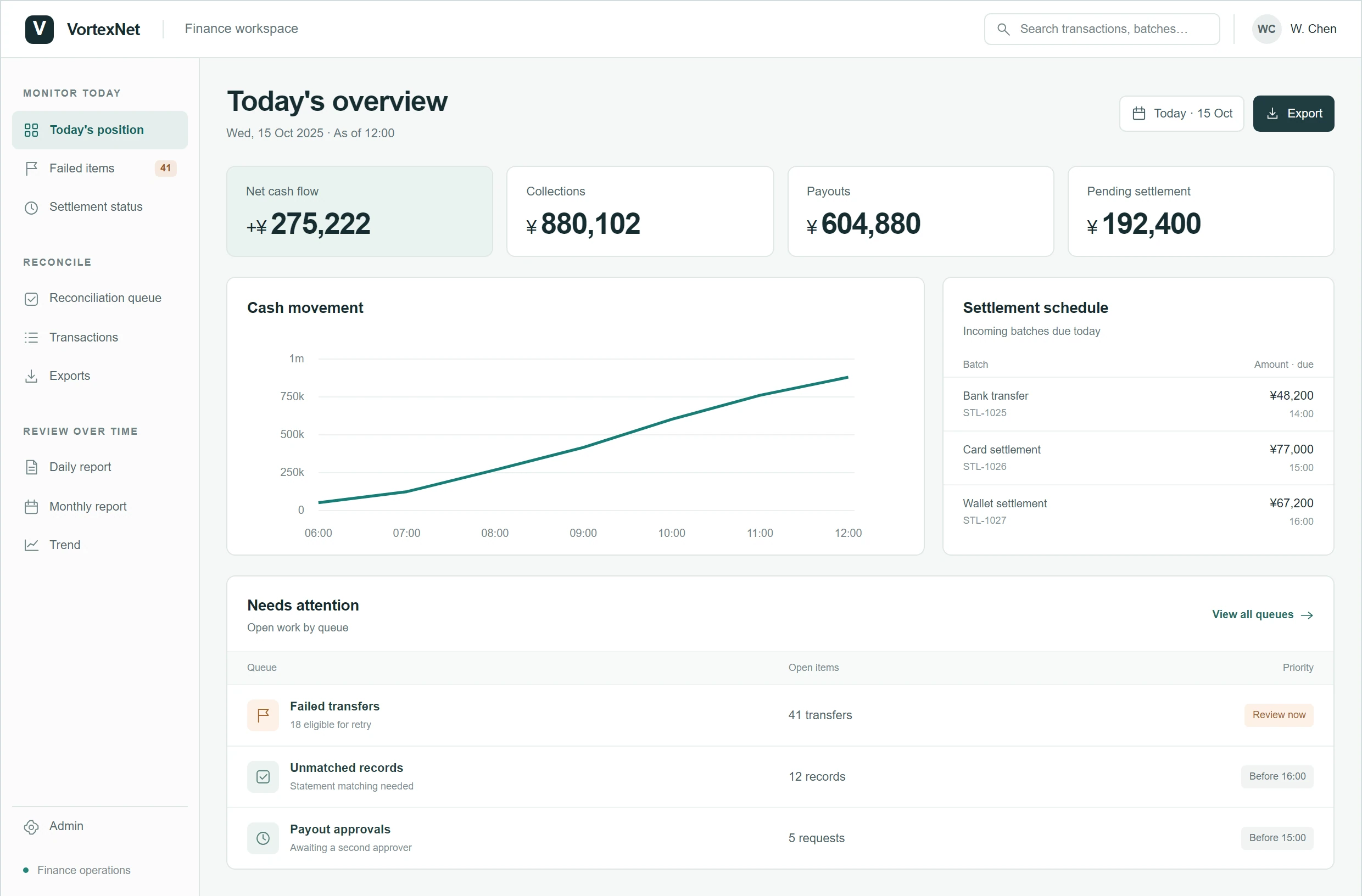
This reconstruction shows the shift in visual emphasis: the primary figures lead, and the supporting metrics follow.
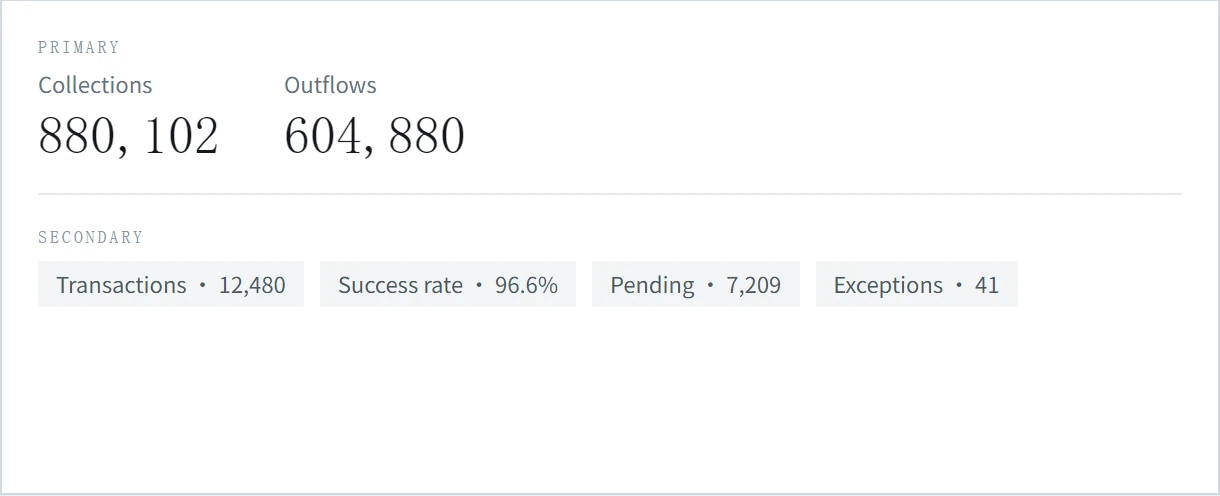
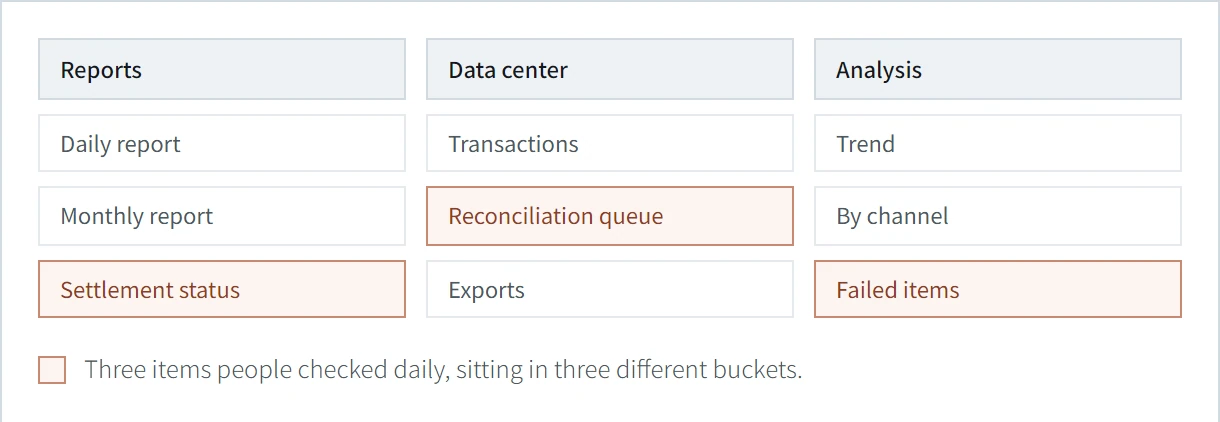
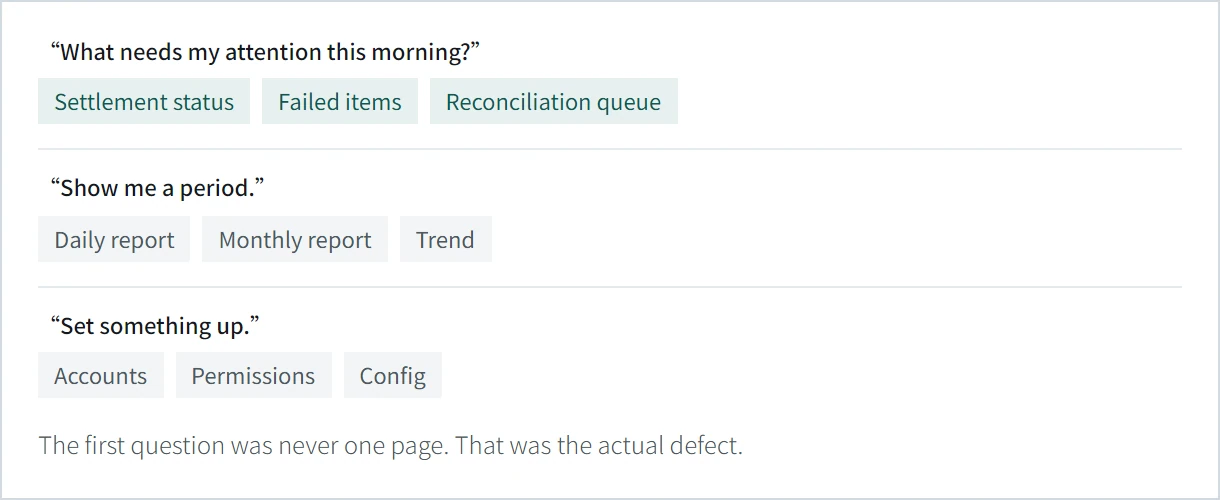
Dividing the information hierarchy needed more thought. We dropped the old scheme, which filed daily reports, monthly reports and confirmations together because they were the same kind of document.
Our aim was to make people faster, so we watched which categories they opened first to check at the start of the day, and which ones mattered less. Those observations set the new division of the hierarchy.
Information architecture
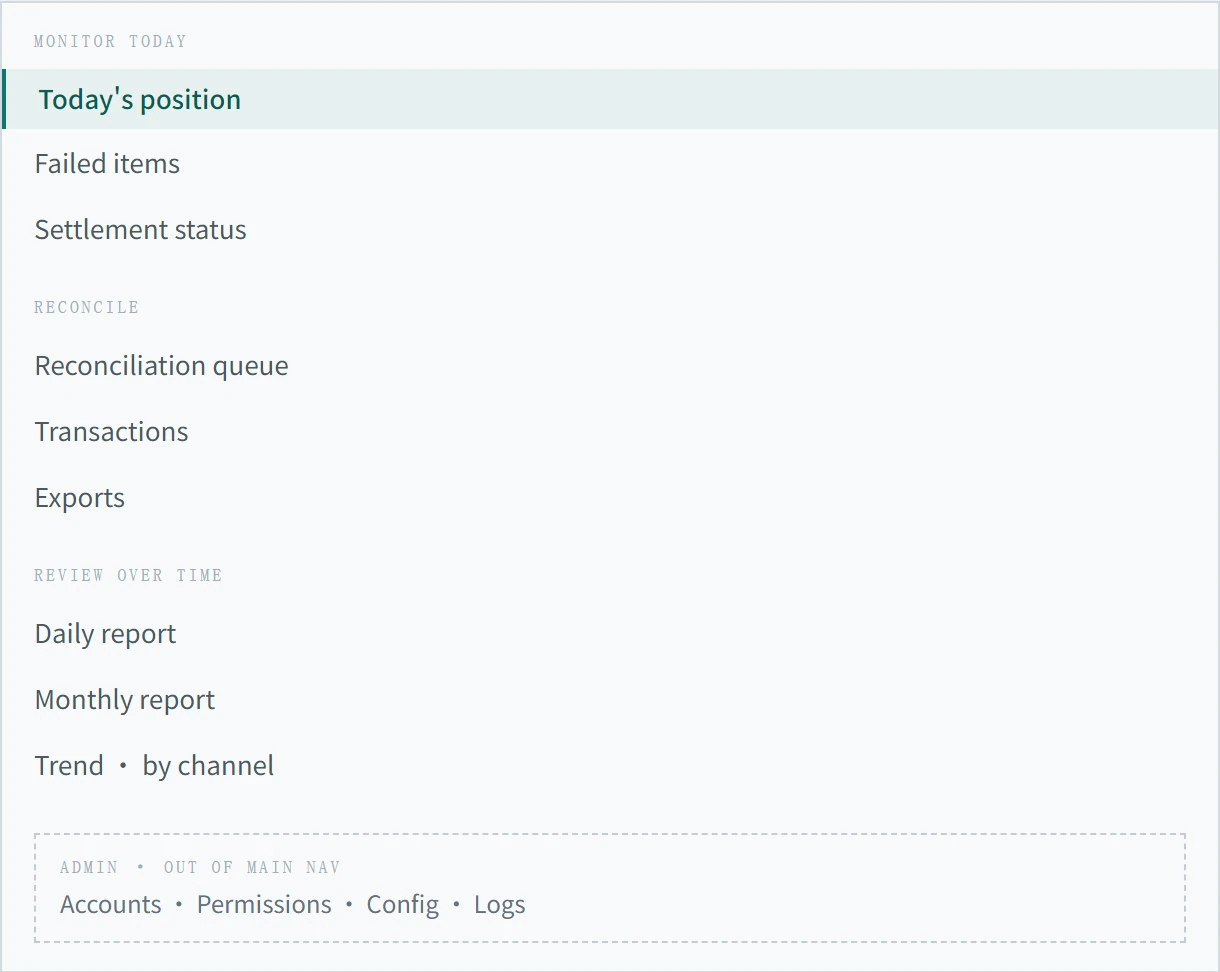
The reconstructed navigation has nine main entries grouped by task. Accounts, permissions, configuration and logs all sit under Admin.
04
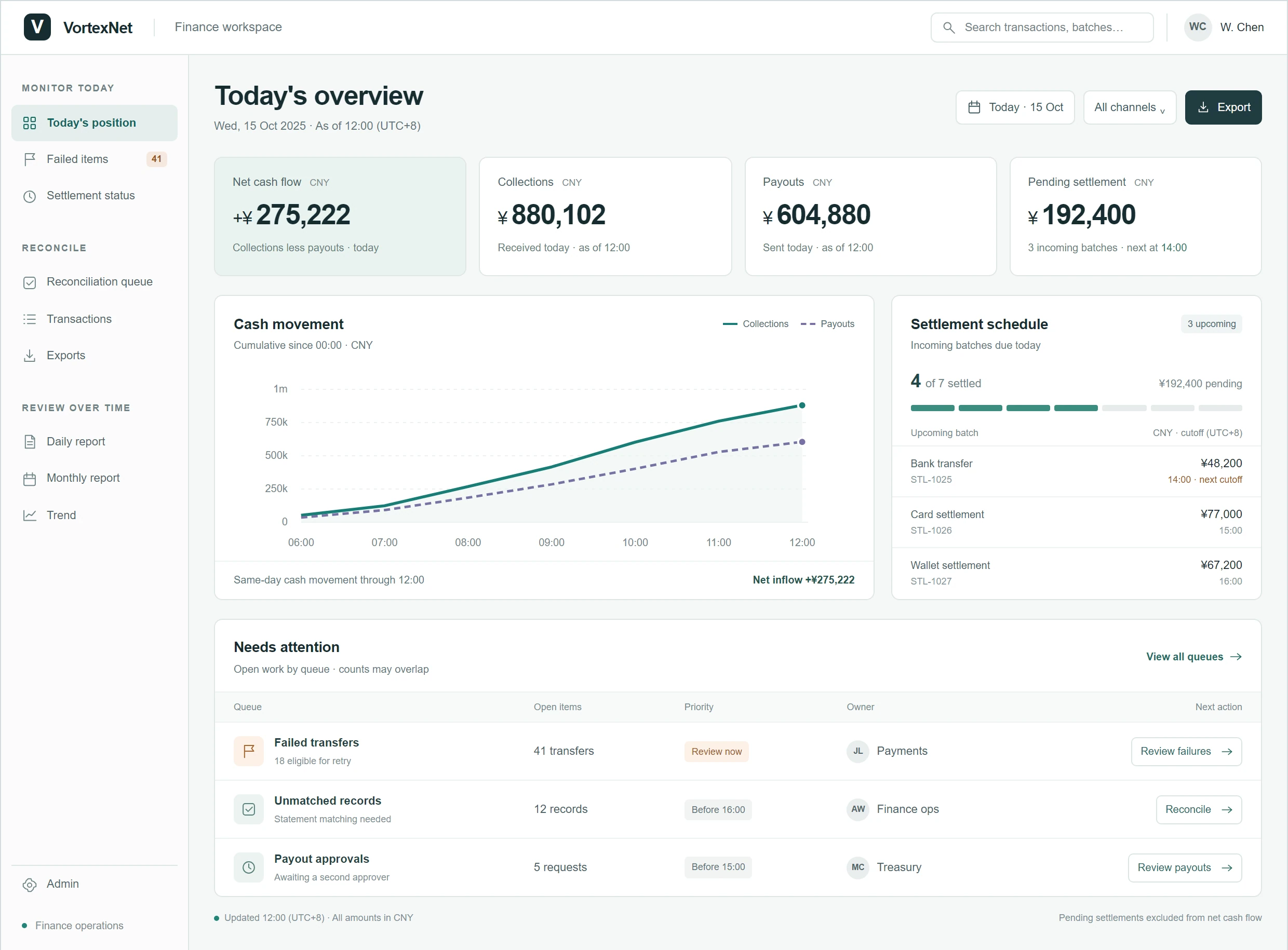
The landing screen shows the cash summary, settlement progress and a priority-ordered work queue at once. The toggle below compares the version that shipped with the one I refined afterward.
05
I invited 10 colleagues to use the new interface and dashboard, gave them a set of tasks, and asked them some questions.
01
Finding the failed event in the left-hand menu and then opening one transaction's details went from 20–30 seconds to about 8.
02
This went from about 10 seconds to about 5.
03
During testing we found that people who had used the old dashboard for a long time were a little out of their depth with the new one, and would go looking in the old places out of habit. We also tested one new user, who was clearly faster on the new dashboard. On that basis we think the change improved how the dashboard is used.
06
This design works within real operating constraints. In this iteration the data could not update in real time and came with some delay, so I think adding a timestamp was the best answer available.
There are trade-offs in the navigation too. The grouping is clearer, but the locations differ from what people knew, and some of them needed longer to find things. I think that is still within a normal, manageable range.
At the same time, a finance company moves a great deal of money and carries a great many numbers, and the information on the dashboard still looks fairly cluttered.
Within a single day, the focus in the morning, at midday and in the evening is not the same. The current arrangement simplifies the morning to some degree, but it does not yet help much with afternoon work, or with tasks that come up unexpectedly.