Independent case studyProduct · UI/UX · 2026

BOA: Spending
& budgeting

A user experience overhaul of the BOA app

Role
Product Design
Timeline
8 weeks
Platform
Mobile + Web
The challenge
Simplify the existing flows and iterate on new product features
My scope
Research, flow analysis, wireframe simplification, mobile and web design
Outcome
Six testers took part. Unassisted budget reallocation rose from 2 to 5; median time to spot overspending fell from 41 to 24 seconds

01

Design decisions

Three key design decisions, plus one new feature

01

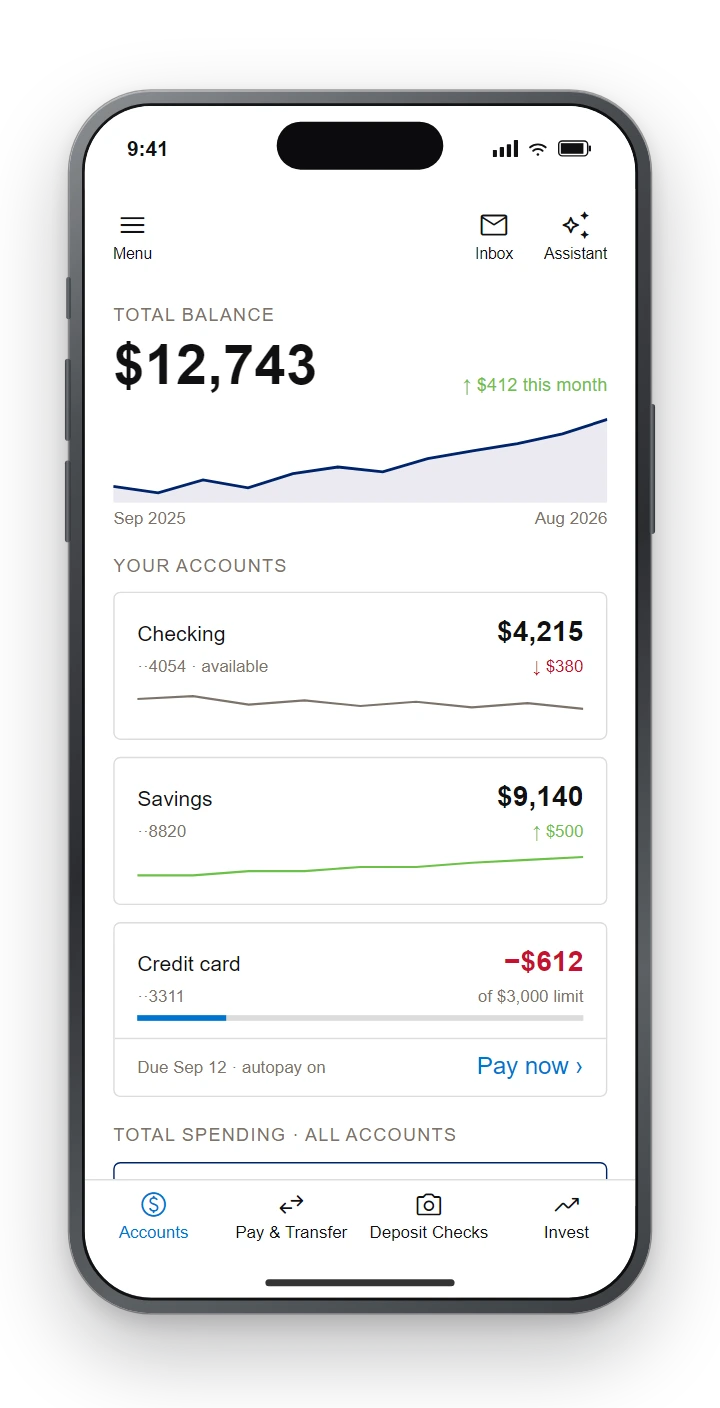
Income and spending trends on the home screen

Cards on the home screen now show how income and spending have changed, so users can see the trend at a glance.
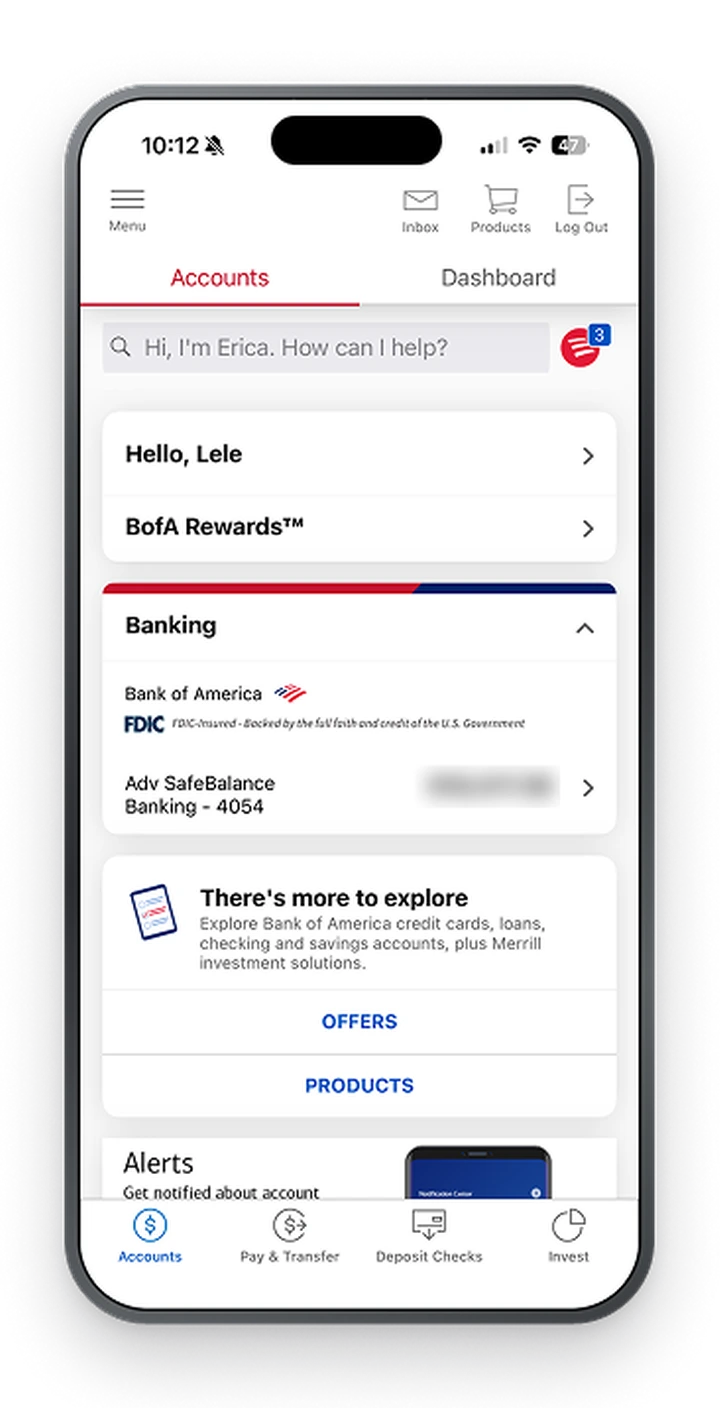
The original BOA home screen: a search bar, greeting and rewards rows, and banking details, with no sign of how balances are changing
Before
Redesigned BOA home screen with the total balance trend and a change line on each account card
After

02

Overspending on the spending page

The spending page shows clearly which category is over budget, rather than just a dial of numbers.
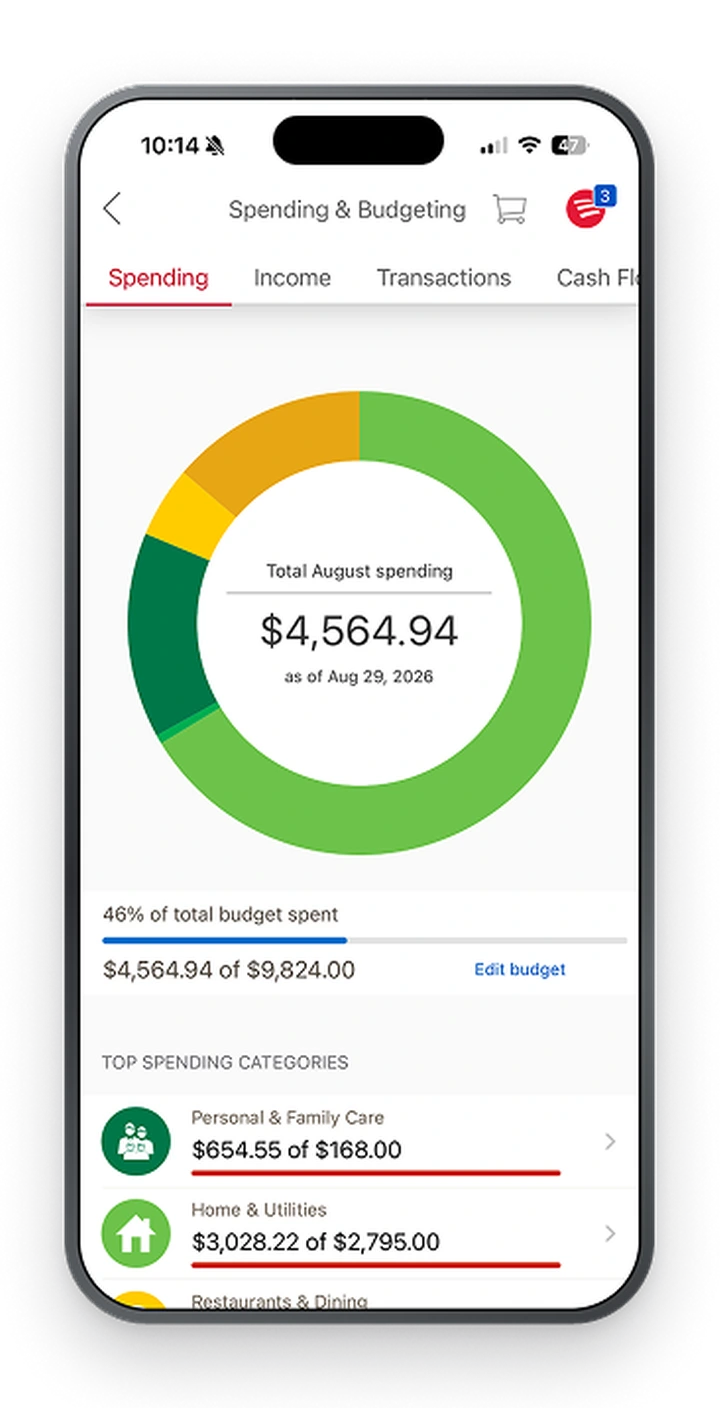
The original BOA spending page: a total spending dial and a category list, with nothing on the dial showing which category is over budget
Before
After

03

Comparing overspent categories

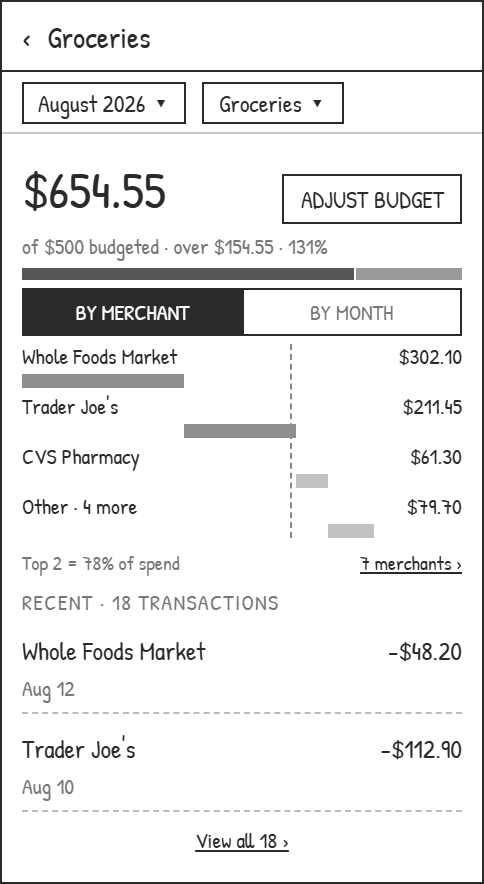
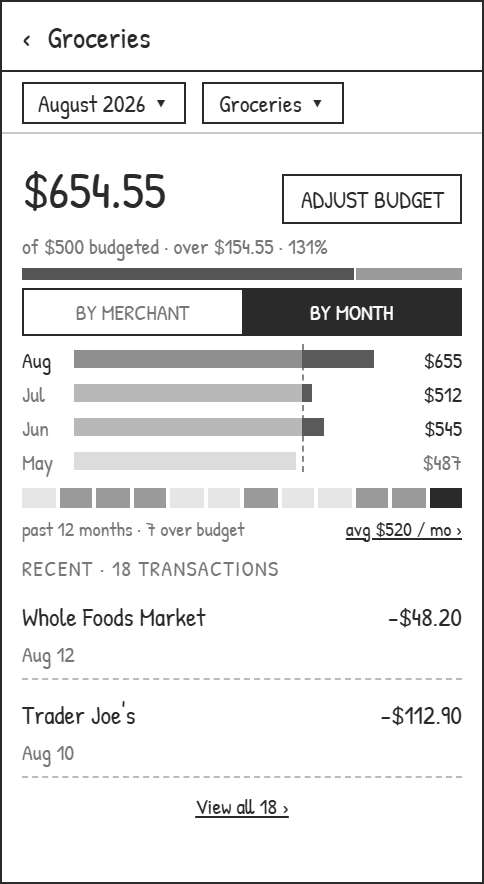
For an overspent category, monthly spending can be compared side by side, viewed by month or by merchant.

04

New feature: budget transfer

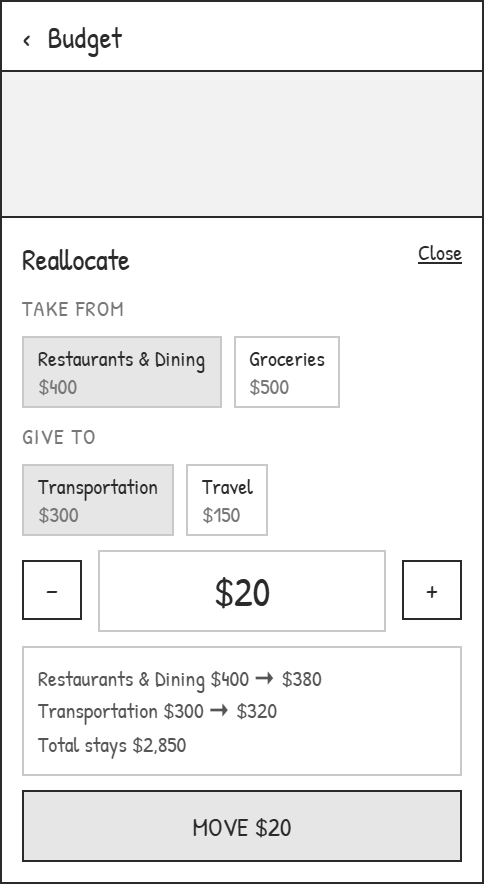
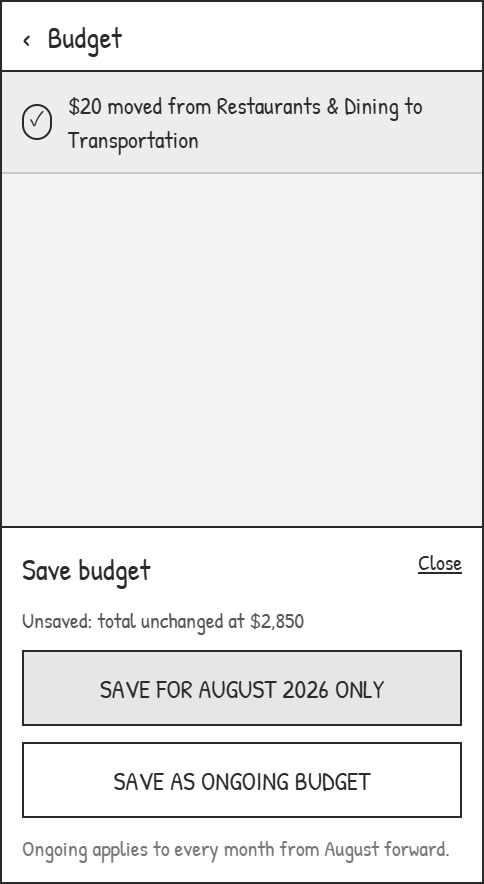
Budget can be moved directly between two categories without changing the monthly total. On saving, you're asked whether the change applies to this month only.

02

Interactive prototype

Click the phone on the right to try the clickable mobile prototype

  1. Try the hover interaction on the dials on the Spending and Budgeting pages.

  2. Try Edit Budget, Save Budget, and the new Relocate feature to move budget between categories.

  3. Try the AI assistant in the top-right corner.

  4. Try changing the category of a transaction.

03

User pain points and market research

These questions came from my own confusion with the BOA app. Looking into it, I found many people on Reddit were also confused by the Spending and Budget features in their accounts.

To dig further, I ran a survey and collected 32 responses. Feedback centred on three problems:

01

A cluttered home screen

Most users couldn't find the spending page from the home screen, which made the app hard to use.

02

Changing a category breaks the flow

Some users said every category change interrupted what they were doing, so they had to start over.

03

Editing a budget takes too much effort

Every budget change meant going through the whole process again.

In response, I mapped the whole flow, simplified both the spending and budget flows, and built wireframes.


View before-and-after flows and all 15 wireframes

Task flow comparison

Track spending

Before / Reviewed flow
Current BOA spending flow with hidden entry, lost context, and deep category editing
After / Redesigned flow
Redesigned BOA spending flow with direct access, persistent filters, and quicker category editing

Adjust a budget

Before / Reviewed flow
Current BOA budget flow with a long setup process
After / Redesigned flow
Redesigned BOA budget flow with direct edits and category reallocation

Entry

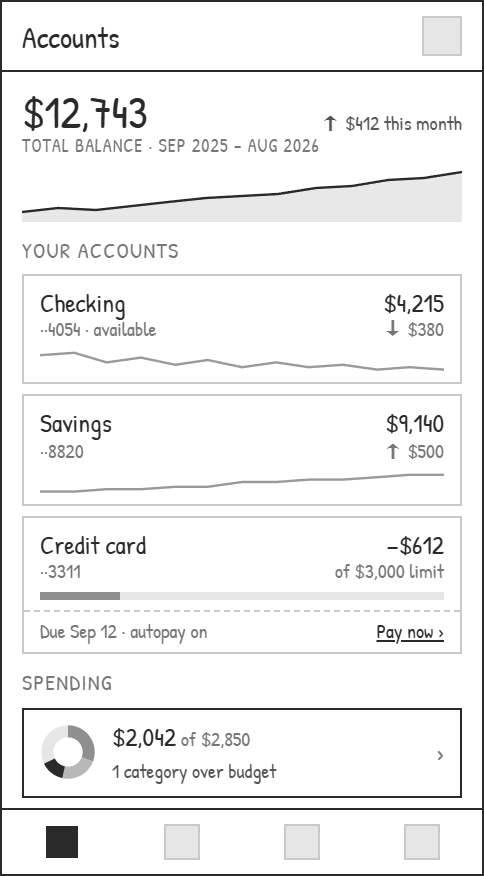
Low-fidelity accounts screen with a spending summary sitting under the account list
01Accounts · spending in the list
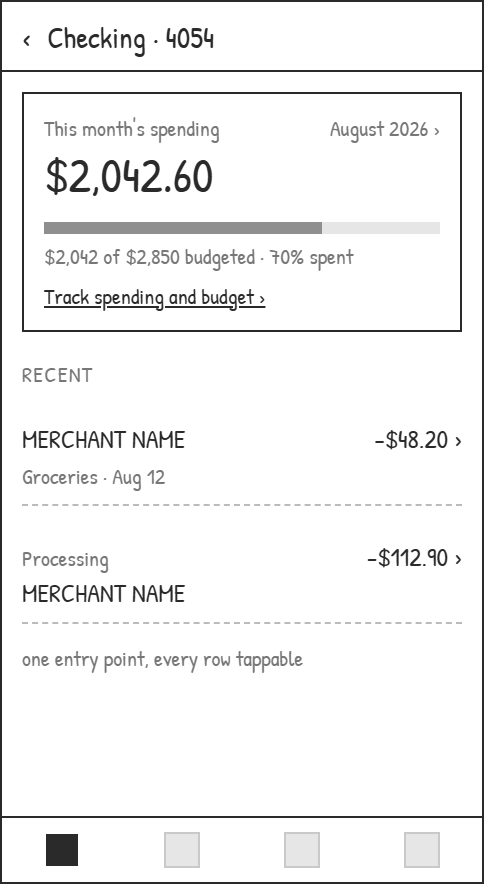
Low-fidelity checking account screen with this month's spending and a link into tracking
02Checking · one entry point
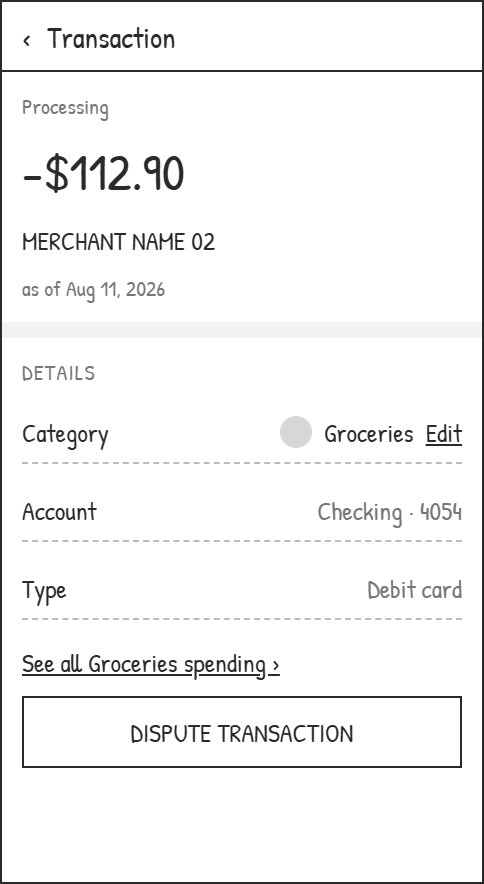
Low-fidelity transaction detail with an editable category row and a link to all spending in that category
03Transaction · category editable here

Track spending

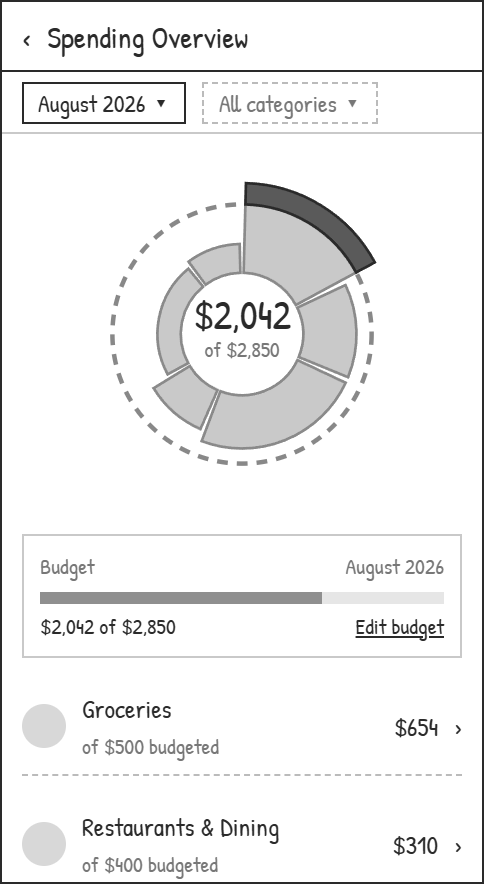
Low-fidelity spending overview with month and category filters pinned above a category breakdown
04Overview · filters pinned
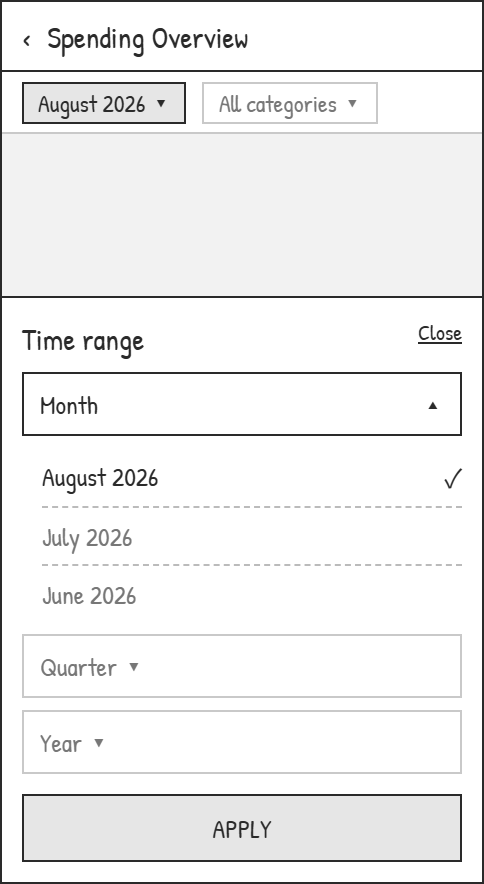
Low-fidelity time range sheet offering month, quarter, and year
05Time range · month to year
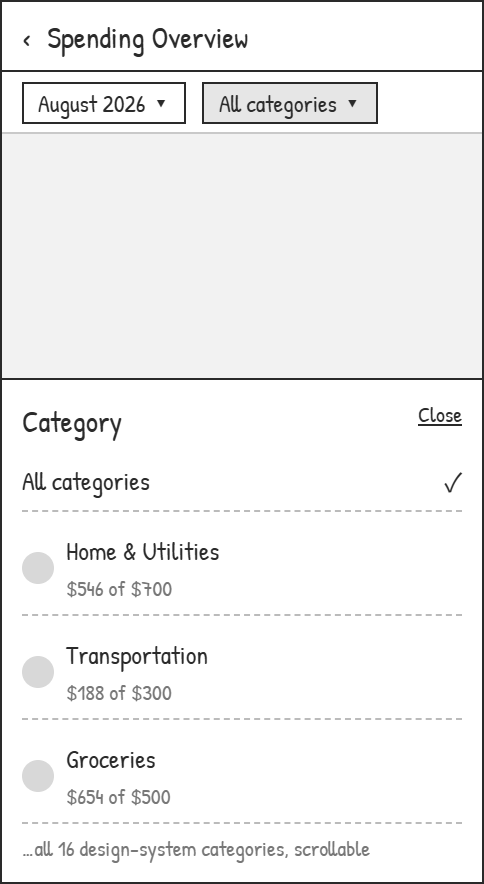
Low-fidelity category filter sheet listing every category with spend against budget
06Category filter · all 16
Low-fidelity groceries detail broken down by merchant against the budget line
07Category · by merchant
Low-fidelity groceries detail broken down by month against the budget line
08Same category · by month
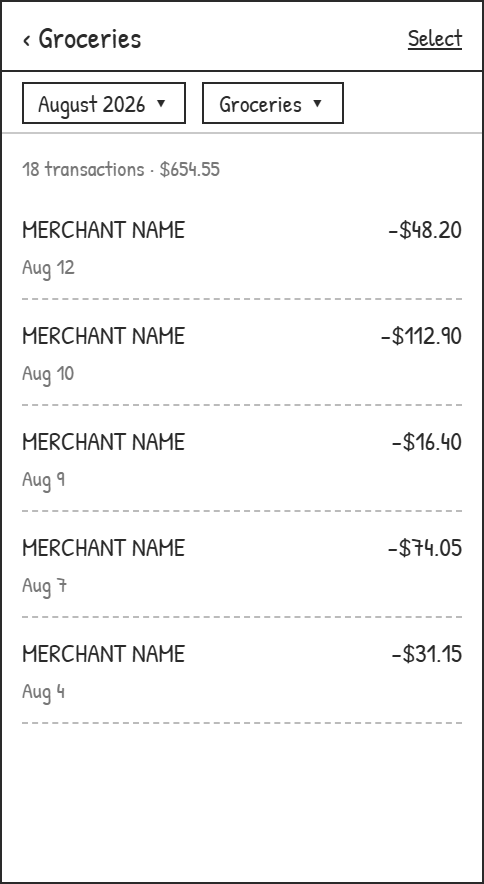
Low-fidelity groceries transaction list with the month and category filters still applied
09Transactions · filters intact
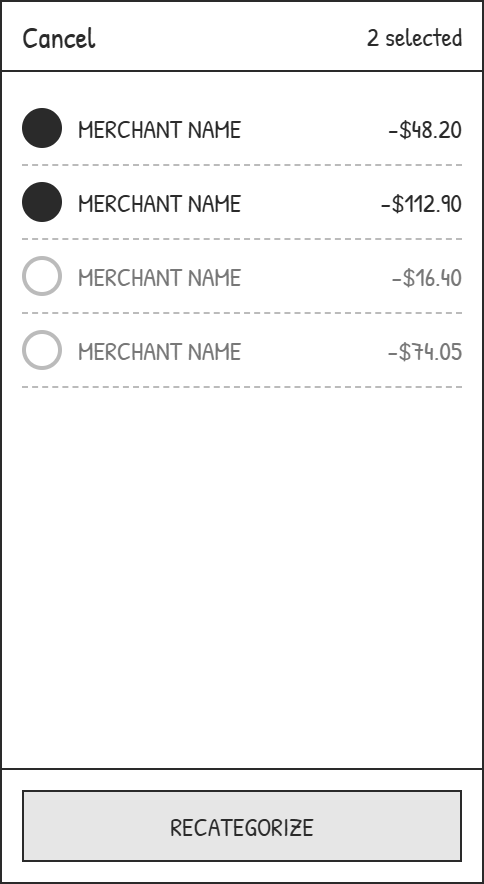
Low-fidelity transaction list in selection mode with two transactions checked and a recategorize action
10Select · fix several at once
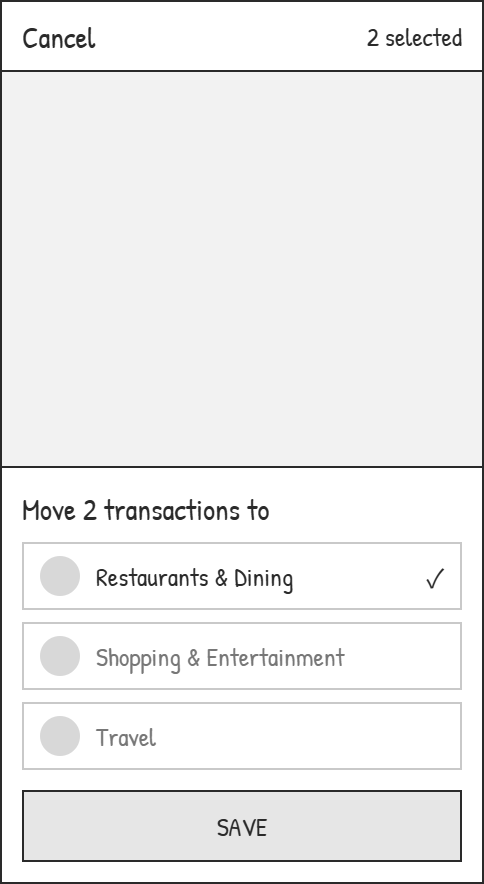
Low-fidelity sheet moving the two selected transactions to Restaurants and Dining
11Move to another category

Budget

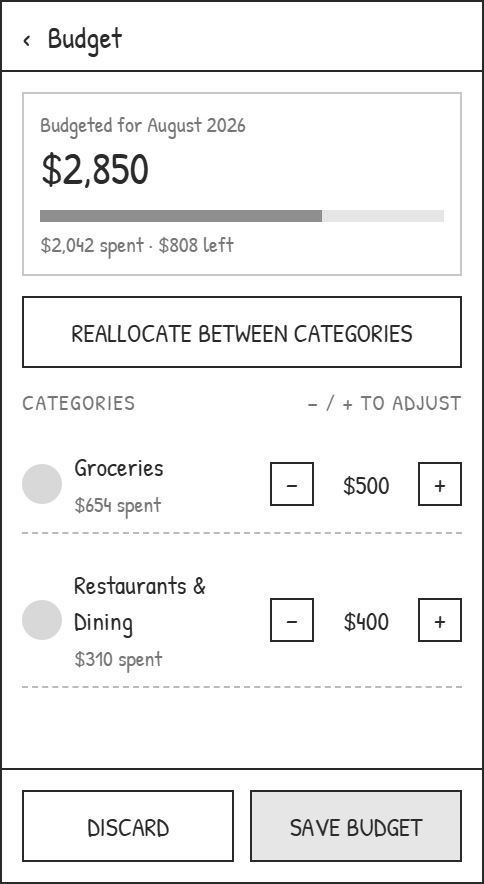
Low-fidelity budget screen with plus and minus steppers on each category
13Budget · edit in place
Low-fidelity reallocation sheet moving twenty dollars between two categories with both new limits previewed
14Reallocate · take from, give to
Low-fidelity save sheet offering to save for August only or as an ongoing budget
15Save once, or from now on
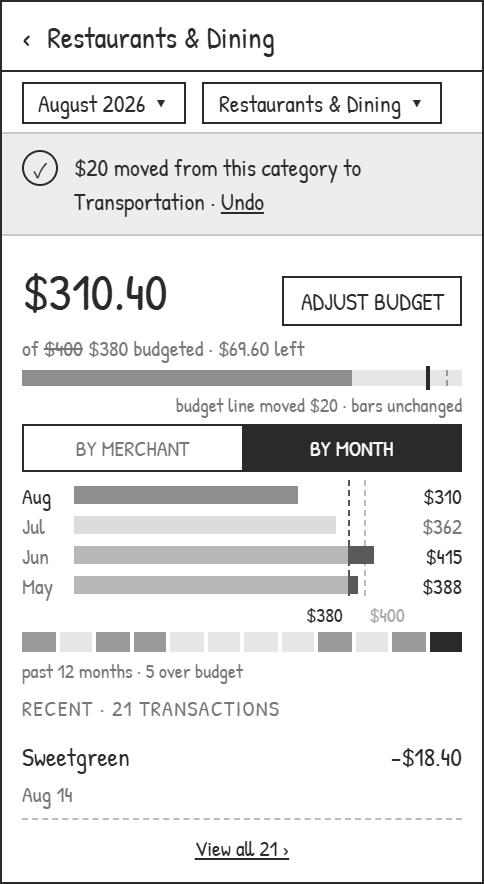
Low-fidelity Restaurants and Dining detail showing the moved budget line and an undo action
16Category · line moved, bars kept

04

Design and iteration

Both test rounds were completed by the same six participants

01

Budget reallocation was a clear success

Every tester said the new feature made allocating budget easier, cutting out the repeated taps it used to take.

02

The spending chart changes also worked well

Users could see straight away which category was over budget, and finished the task noticeably faster than before.

03

The AI assistant drew some negative feedback

Moving its entry point to the top-right corner made it less prominent.

05

Web adaptation

Desktop isn't just the interface scaled up: more information sits on a single page. The dashboard is richer, and it's easier for users to look things up.
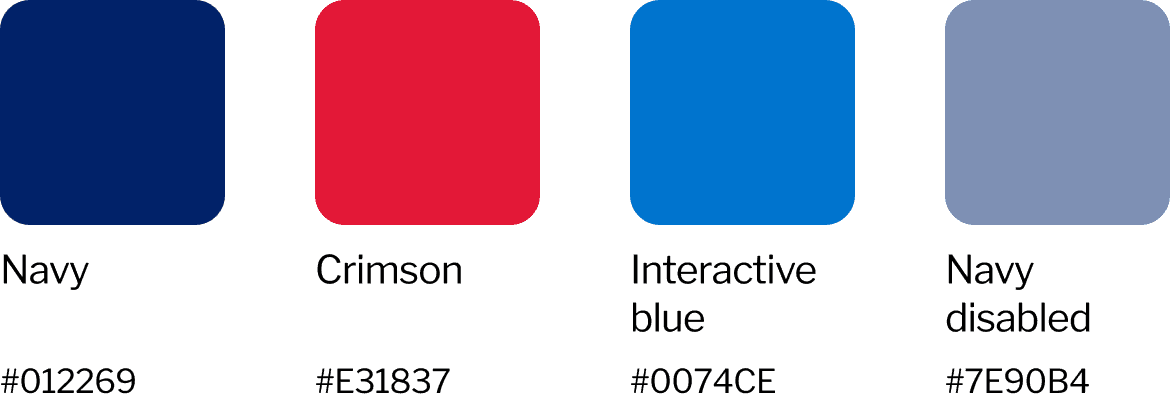
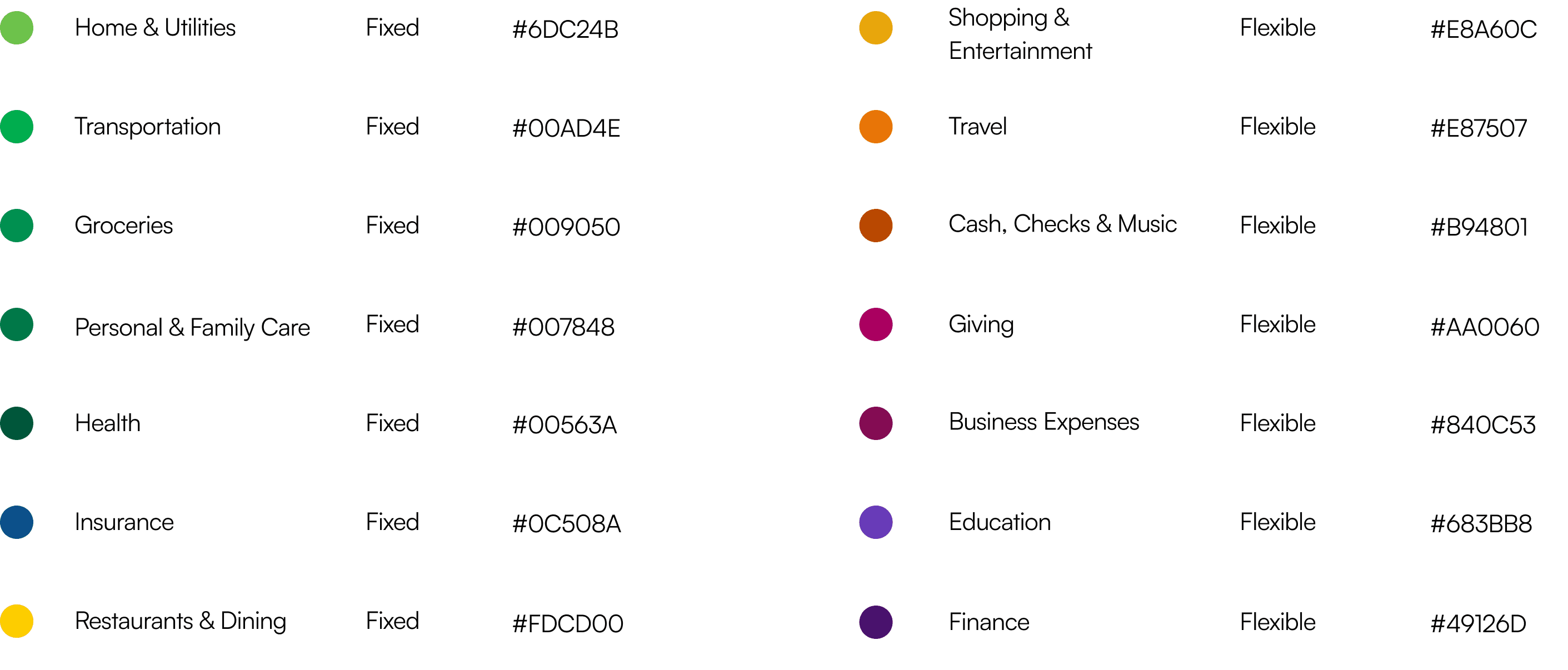
View the visual system
Core palette
BOA core color palette
Category ramp
BOA spending category color ramp
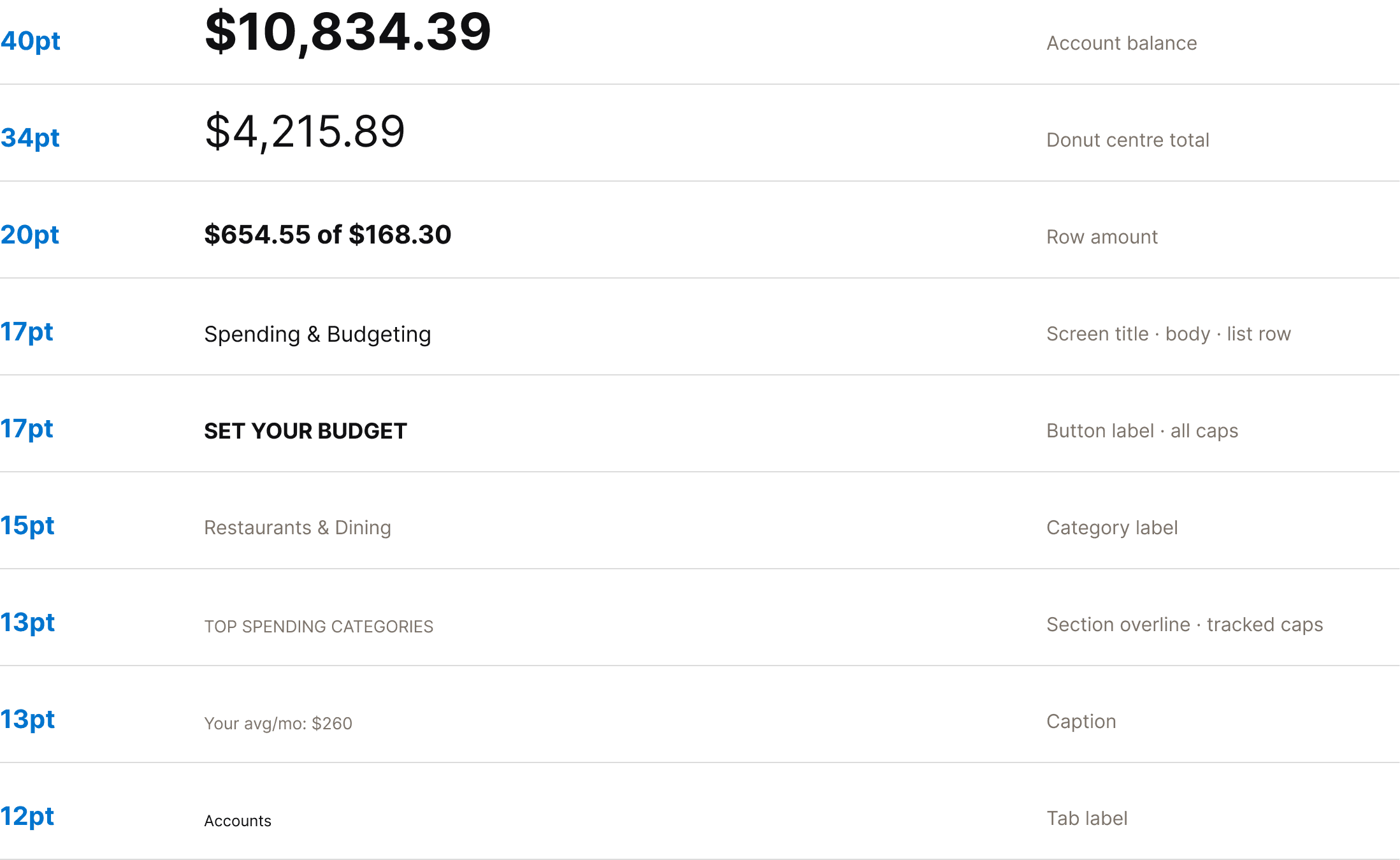
Typography
BOA typography specimen

Reflection

Keep iterating on the AI assistant

An AI assistant can help people a great deal in any app. In a complex app like BOA, users run into questions and don't know where to find things, which makes the assistant especially important.

How to weigh what the AI says on each page, and how to weave it into the whole experience, matters a great deal. Next, I'll keep experimenting with the assistant's user experience.

Independent redesign concept. Not affiliated with Bank of America.